Cloud Storage Apps Compared for 2026
149 views
You don't really notice how much you rely on cloud storage until something goes wrong.
A laptop dies. A phone disappears. You accidentally overwrite an important document at 1:17 a.m. while trying to "quickly fix one thing." I've done that more than once, and restoring the correct version wasn't always as straightforward as the marketing pages promised.
Cloud storage has matured quite a bit. Most major services now sync files quickly, protect data with encryption, and work across multiple devices. The tricky part isn't finding a good option anymore. It's figuring out which one actually fits the way you work.
Some people need effortless photo backups. Others care about collaboration, privacy, or getting the most storage without paying a monthly fortune.
Let's compare the biggest cloud storage apps available in 2026 and see where each one shines—and where it occasionally stumbles.
What actually matters in a cloud storage app?
Storage capacity grabs attention first. Fair enough.
But after using several services over the years, I've learned that raw storage space rarely determines whether you'll enjoy using a platform.
Instead, pay attention to:
Sync reliability across devices
File version history
Sharing controls
Offline access
Mobile app quality
Security features
Cross-platform compatibility
Long-term pricing
One small annoyance repeated every day becomes a much bigger issue than saving a couple of dollars each month.
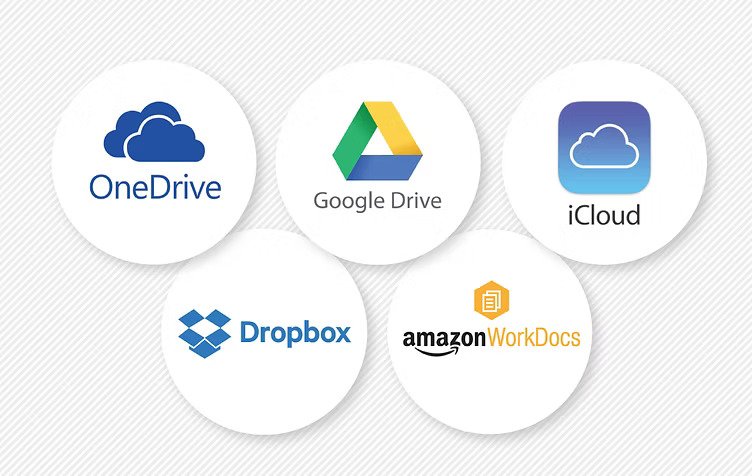
Google Drive: Still the productivity favorite
Google Drive remains one of the easiest services for people already living inside Google's ecosystem.
Docs, Sheets, Slides, Gmail, Meet—they all connect naturally.
That's convenient.
I especially appreciate collaborative editing. Watching several people update the same document simultaneously still feels surprisingly smooth, especially compared with older workflows involving endless email attachments.
Strengths
Excellent collaboration
Fast synchronization
Powerful search
Strong integration with Android
Automatic backup options
Things to consider
Google's storage is shared across Photos, Gmail, and Drive.
That can catch people off guard.
One vacation with thousands of high-resolution photos may suddenly leave your email unable to receive new messages.
Microsoft OneDrive fits naturally into Windows
Windows users often discover OneDrive before they even look for alternatives.
That's not accidental.
The service integrates directly into File Explorer, making cloud files behave almost like local folders.
If you regularly work with Microsoft 365 applications like Word, Excel, and PowerPoint, OneDrive feels remarkably polished.
Version history has saved me several times after accidentally replacing a document with an unfinished draft.
Not glamorous.
Extremely useful.
Best suited for
Windows users
Office professionals
Students
Businesses already using Microsoft 365
Apple iCloud Drive keeps things simple
Apple tends to hide complexity.
Sometimes that's refreshing.
Other times it's mildly frustrating.
iCloud Drive works best if nearly every device you own carries an Apple logo. Photos sync automatically, Notes appear almost instantly, and files move between Macs, iPhones, and iPads without much effort.
The experience becomes less elegant once Windows or Android enters the picture.
Compatibility exists.
It's simply not the primary focus.
Dropbox remains surprisingly relevant
Dropbox no longer dominates headlines the way it once did.
Yet many professionals haven't left.
Why?
Consistency.
File synchronization has long been Dropbox's strongest selling point, and that reputation continues. Teams handling creative projects, client deliverables, and large design assets often appreciate its dependable syncing behavior.
The interface also stays refreshingly uncluttered.
Sometimes boring software is exactly what you want.
Proton Drive puts privacy first
Not everyone wants maximum convenience.
Some prioritize privacy.
That's where Proton Drive has carved out its place.
The service uses end-to-end encryption, meaning your files are encrypted before they leave your device. According to Proton's public documentation, the company cannot access the contents of your stored files because the encryption keys remain under your control.
That added privacy comes with trade-offs.
Collaboration features aren't quite as extensive as Google's, and some advanced integrations remain limited compared with larger ecosystems.
Still, if confidentiality matters more than collaborative editing, Proton Drive deserves serious consideration.
Sync.com focuses on secure file storage
Sync.com doesn't receive nearly as much mainstream attention.
Perhaps it should.
Like Proton Drive, it emphasizes zero-knowledge encryption, meaning the provider cannot read your stored files.
Businesses handling contracts, legal documents, financial records, or sensitive client information often value this extra protection.
The interface isn't flashy.
It doesn't need to be.
MEGA continues offering generous storage
People often discover MEGA for one simple reason.
Free storage.
Historically, MEGA has provided more complimentary storage than many competitors, though promotions and allowances have changed over time.
Security also remains a central feature, with client-side encryption protecting stored files.
The only caution?
Always review current storage limits and promotional terms before signing up, since they occasionally change.
A quick comparison
Service | Best For | Main Strength | Possible Drawback |
|---|---|---|---|
Google Drive | Collaboration | Google Workspace integration | Shared storage across Google services |
OneDrive | Windows users | Microsoft 365 integration | Less appealing outside Microsoft ecosystem |
iCloud Drive | Apple users | Excellent Apple integration | Limited flexibility on Android |
Dropbox | Professionals | Reliable syncing | Free storage is relatively limited |
Proton Drive | Privacy | End-to-end encryption | Smaller collaboration ecosystem |
Secure storage | Zero-knowledge encryption | Fewer third-party integrations | |
MEGA | Large free storage | Generous free plan | Promotions and limits can change |
Free plans versus paid subscriptions
Here's something I learned after bouncing between several providers.
Free storage works...until it doesn't.
The moment your photo library grows, video recordings pile up, or work documents accumulate over several years, you'll likely need additional space.
Paid subscriptions usually include:
More storage
Extended file history
Better recovery options
Priority customer support
Enhanced sharing controls
Family or business plans
Before paying, estimate how much data you'll realistically create over the next two or three years.
People often underestimate this.
Especially after buying a phone capable of recording 4K or even 8K video.
Security deserves more attention than storage size
Storage capacity is easy to compare.
Security isn't.
Every reputable cloud provider encrypts data during transfer and while it's stored on their servers. That's become standard practice.
The differences appear elsewhere.
For example:
Enable multi-factor authentication immediately.
Choose unique passwords for every cloud account.
Simple habits. Big payoff.
Some providers also support end-to-end or zero-knowledge encryption, meaning even the service provider cannot access your files. That extra privacy may matter if you're storing sensitive business records or confidential personal information.
No cloud service can fully protect data if an attacker gains access through weak passwords or phishing attacks.
Common mistakes people make
I've made at least two of these myself.
One involved deleting the wrong project folder and assuming it would remain recoverable forever.
It didn't.
Watch out for these habits:
Never testing file recovery before an emergency
Ignoring version history features
Using the same password across multiple accounts
Forgetting shared links remain active
Assuming every file sync completed successfully without checking
Those tiny oversights usually become obvious at the worst possible moment.
Which cloud storage app should you choose?
There's no universal winner.
Someone editing spreadsheets every day will probably appreciate Google Drive or OneDrive.
Creative professionals moving large media files often stick with Dropbox because of its dependable synchronization.
Apple households generally enjoy the effortless integration offered by iCloud Drive.
Privacy-conscious users frequently lean toward Proton Drive or Sync.com.
Meanwhile, anyone wanting plenty of free storage may find MEGA appealing.
The right answer depends less on feature checklists and more on how your devices, workflow, and priorities fit together.
Frequently Asked Questions
Which cloud storage app offers the best free plan?
MEGA has traditionally offered one of the more generous free storage options, although available space and promotional offers can change. Google Drive also remains popular thanks to its integration with Google services.
Is cloud storage safe for personal documents?
Generally, yes. Major providers encrypt stored data and data in transit. Enabling multi-factor authentication and using strong, unique passwords significantly improves account security.
Can I use multiple cloud storage services?
Absolutely. Many people separate work files, personal photos, and secure documents across different providers to take advantage of each service's strengths.
Which cloud storage works best across different operating systems?
Google Drive and Dropbox offer strong support across Windows, macOS, Android, and iOS, making them practical choices for users with mixed-device setups.
Do cloud storage apps automatically back up everything?
Not necessarily. Many services require you to choose specific folders or enable photo backups manually. It's worth checking your backup settings rather than assuming every file is protected.
One final thought before you pick
Don't choose a cloud storage service based solely on the biggest number beside its storage plan. Spend a few minutes testing how it syncs, restores deleted files, shares folders, and fits into your daily routine. A platform that quietly saves you time every week will almost always be the better investment than one offering a few extra gigabytes you'll never actually notice.
cloud storage apps
best cloud storage mobile
file backup apps
cloud drive comparison
phone backup solutions
Found this helpful? Share it!