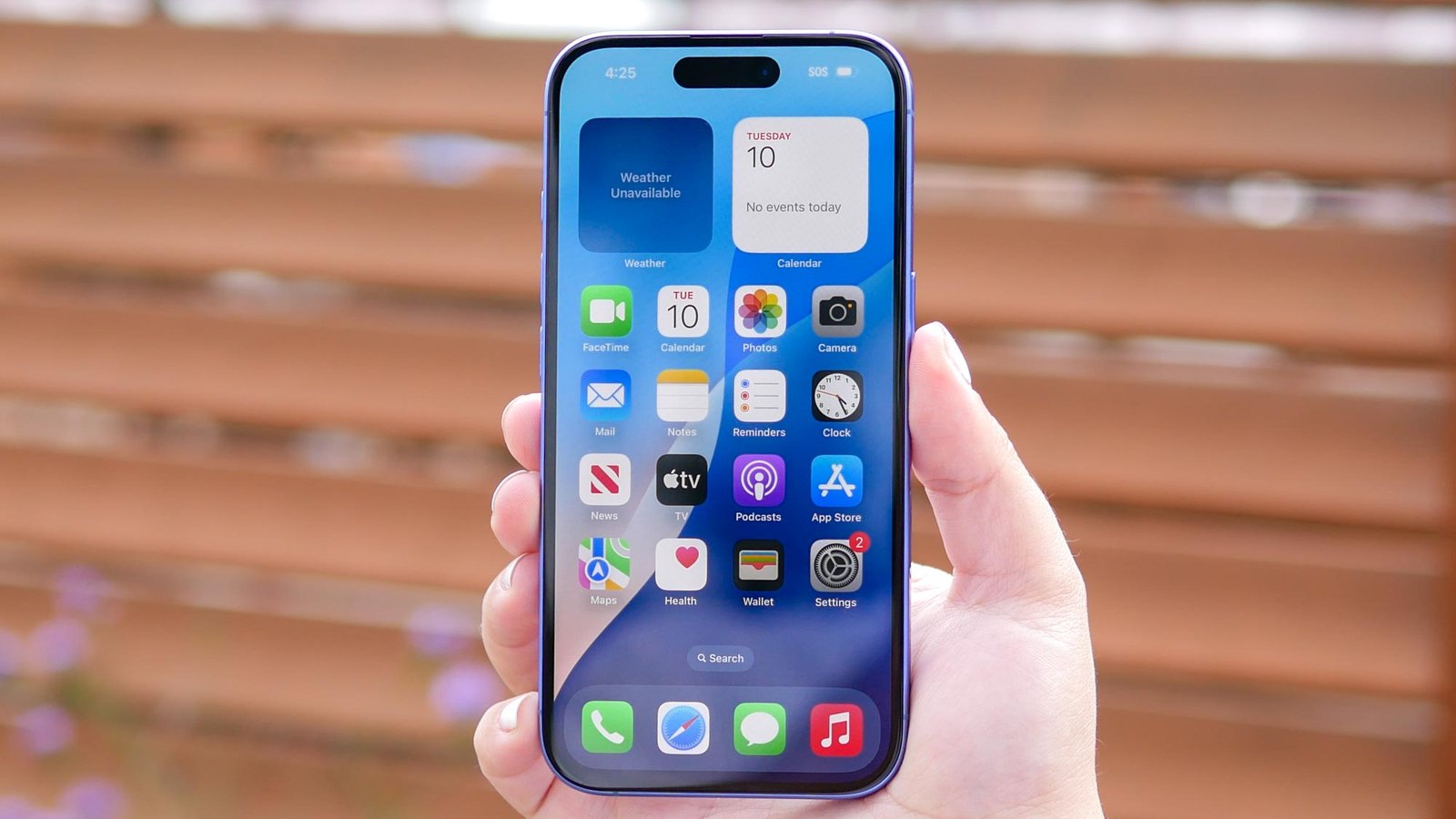
10 iPhone Apps I Use Every Day That Save Me Time
275 views
The worst iPhone time-wasters aren’t always TikTok or YouTube. Sometimes it’s the tiny stuff: hunting for a password, copying an address between apps, trying to remember which supermarket item you ran out of, or opening three different apps just to answer one message.
My iPhone has gradually become a pocket-sized control panel for that mess.
These aren’t ten apps I downloaded for a weekend and forgot about. They’re the ones I keep returning to because they remove small bits of friction from ordinary tasks. A few are built into iOS. Others earn their place on my Home Screen by doing one job unusually well.
For PhoneTrend readers, that distinction matters. A useful iPhone app isn’t necessarily the newest or flashiest one. It’s the app that saves you 20 seconds often enough that, by the end of the week, you actually notice the difference.
1. Shortcuts: the app that turns taps into one action
Apple’s Shortcuts app is still the closest thing iOS has to a personal automation layer.
I use it for repetitive jobs that would otherwise involve bouncing between Settings, Safari, Notes, and whatever app happens to hold the information I need. The useful part isn’t building a giant, complicated automation with fifty actions. Those tend to become brittle.
Simple wins.
One shortcut can:
Open a specific set of apps for a work session
Create a note with the current date
Resize or convert an image before sharing it
Pull text from a screenshot using OCR
Start a timer and switch to a chosen Focus mode
The setup can be a little fiddly. Some third-party apps expose excellent Shortcut actions; others expose almost nothing, so you’re stuck with URL schemes or manual steps. Still, once a shortcut works, it can remove several taps permanently.
Apple also supports Personal Automations, including triggers based on time of day, arriving at a location, connecting to Wi-Fi, or launching certain apps. That’s where the app stops feeling like a novelty.
2. Apple Reminders: boring, dependable, and far more capable than it looks
I used to treat Reminders as a dumping ground. That was my mistake.
Now I rely on separate lists, tags, subtasks, recurring reminders, and location-based alerts. The location feature is especially handy for things that make no sense as a timed notification.
“Buy HDMI cable” at 9:00 a.m.? Useless.
“Buy HDMI cable when I arrive at the electronics store”? Much better.
A small practical detail: natural-language entry saves time here. Typing something like “Call Sam tomorrow at 10” can create a scheduled reminder without manually opening a date picker.
Shared grocery lists are another everyday use case. Add an item, and everyone with access sees it. No screenshots of handwritten lists. No “I thought you bought it.”
My rule: if something takes under ten seconds to capture, I put it in Reminders immediately instead of trusting my memory.
3. 1Password: because password resets are a ridiculous use of time
Password management sounds dull until you count how often you sign into things.
Apple's Passwords support documentation
Apple’s newer Passwords app handles credentials, passkeys, verification codes, and shared password groups across supported Apple devices. For users already deep in Apple’s ecosystem, it may be all they need.
I still keep a dedicated password manager in the mix when I need broader cross-platform support, shared vaults, or more detailed organization. The exact choice matters less than avoiding reused passwords and the endless reset-email cycle.
Passkeys are particularly interesting because they replace the traditional password flow on compatible services with cryptographic authentication tied to your device or password manager. Less typing. Fewer phishing opportunities. One fewer thing to remember.
4. Google Maps: my “where exactly am I going?” app
Apple Maps has improved significantly, and I use it. But Google Maps remains the app I open when I need to check a business, compare routes, inspect an unfamiliar area, or search through a long list of saved places.
The time-saving feature I use most isn’t navigation.
It’s Lists.
Restaurants I want to try go into one list. Repair shops into another. Places I need to revisit stay saved instead of becoming another browser tab that disappears into the void.
There is one annoyance, though: map data can differ between services, especially for newly opened businesses, temporary closures, entrances, or small roads. Before a long drive or an important appointment, I sometimes check both mapping apps rather than assuming either database is perfect.
That sounds slower. Usually, it prevents the much bigger waste of arriving at the wrong place.
5. Notes: the fastest place to put messy information
Some information doesn’t deserve a full project-management system.
It just needs somewhere to go.
Apple Notes handles that role surprisingly well. I use it for serial numbers, temporary travel details, copied order information, rough article ideas, and screenshots I need to annotate later.
The scanner is particularly useful for paper receipts and documents. Search can also find text inside notes, while image and document scanning features make it practical for information that started outside the phone.
My least elegant but most useful habit is a single “Scratchpad” note.
Random thought? It goes there.
A product model number? There.
Someone gives me a Wi-Fi password over the phone? Also there, temporarily.
Once a week, I clean it out. The system isn't beautiful. It works.
6. Files: the app that saves me from downloading the same thing twice
The Files app is easy to ignore until you regularly deal with PDFs, ZIP archives, images, and downloads.
My most common use is painfully ordinary: someone sends a document in Messages, I save it to a predictable folder, rename it, and share it again later without digging through an old conversation.
Files can also connect to cloud services that support the Files interface, alongside iCloud Drive and on-device storage. That matters because the workflow stays fairly consistent even if the actual file lives somewhere else.
One limitation catches people out: cloud storage is not the same as unlimited local iPhone storage. Downloading a large file can consume device space, and offline access may require explicitly keeping a copy available. If you're using a 128GB iPhone that is already crowded with photos and video, that distinction becomes noticeable fast.
My folder structure is intentionally simple:
Downloads → Temporary
Documents → Keep
Receipts → Year
Anything more complicated and I stop maintaining it.
7. ChatGPT: useful when the task starts with a blank page
I don't use an AI app to answer every question. That would be slower, not faster.
I use ChatGPT for tasks where the annoying part is getting started: turning a rough idea into an outline, extracting action items from my own notes, comparing options I already understand, or creating a first draft that I can edit.
The trick is being specific.
“Write something about iPhones” produces generic material.
“Turn these six bullet points into a 700-word article for readers comparing iPhone battery settings, keep the tone practical, and include the downside of each setting” is far more useful.
The same principle applies to voice input. A messy 90-second brain dump can be transformed into a checklist faster than typing it from scratch.
I still verify technical claims, prices, compatibility details, and anything that could have changed recently. AI is excellent at reducing blank-page friction. It isn't a substitute for checking the facts.
8. Google Calendar: because remembering the plan isn't a system
Calendar apps save time before an event even happens.
I use Google Calendar because it fits neatly into mixed-device workflows. An event created on an iPhone can be available on a browser, Android device, tablet, or computer without much ceremony.
The real time-saver is reducing ambiguity.
Instead of writing:
Meeting with Alex
I add the location, relevant link, and a notification that gives me enough time to prepare.
Two reminders are often better than one: an earlier alert for preparation, then a shorter one for actually leaving or joining.
There’s also a useful boundary here. Don't put every tiny task into your calendar. That creates a calendar that looks productive while becoming impossible to read. Appointments and time-specific commitments belong there. Flexible tasks usually stay in Reminders.
Different buckets. Less clutter.
9. Bitwarden: my cross-platform backup plan
This is where my setup gets slightly redundant, deliberately.
Apple's Passwords app is increasingly capable, but Bitwarden is useful if your digital life spans Windows PCs, Android devices, Linux machines, and multiple browsers. Its cross-platform approach is the reason it remains in many people's toolkit.
The free tier covers the core password-management job, while paid plans add features such as expanded sharing and additional security options, depending on the current subscription. For many users, though, the basic benefit is straightforward: generate a long, unique password once and stop seeing the same “Forgot password?” screen.
One habit saves more time than any particular password manager feature:
Never create a password you intend to memorize.
Let the manager create it. Save it. Move on.
The initial migration takes effort. I've had to clean up duplicate logins and ancient accounts that no longer exist. Annoying afternoon. Worth it.
10. Google Photos: search is often faster than organization
My camera roll is not perfectly organized.
No chance.
That is exactly why Google Photos can be useful as a secondary photo library or backup workflow. Searching by subject, location, date, or other recognized information can be quicker than manually scrolling through thousands of images.
There is a storage detail worth remembering, though. Google account storage is generally shared across services such as Google Drive, Gmail, and Google Photos under the account's storage pool. A full inbox can affect the same storage allowance you expected to use for photos.
That catches people by surprise.
Before turning on automatic backup, check:
How much free storage is actually left in the Google account.
Whether you're backing up original-quality files or using a storage-saving option where available.
Also watch for duplication. If you use both iCloud Photos and Google Photos, you're managing two cloud libraries with different settings, deletion behavior, and storage limits. That's useful as redundancy for some people. For others, it's just confusion with a monthly bill attached.
The real trick: fewer apps, better handoffs
The biggest productivity improvement on my iPhone hasn't come from installing more software.
It's come from deciding which app owns which job.
Shortcuts handles repetitive actions. Reminders catches things I need to do. Notes holds messy information. Files stores actual documents. Calendar handles commitments tied to a specific time. A password manager handles credentials.
Once those boundaries are clear, I spend less time asking, “Where did I put that?”
That question is a productivity killer.
PhoneTrend already covers the broader world of productivity apps, including AI-first tools and automation, so this list works best as a narrower companion piece: a real daily-use setup focused on reducing taps, context switching, and forgotten information rather than chasing the biggest possible app collection.
FAQ
What is the best iPhone app for saving time?
For repetitive tasks, I'd pick Shortcuts. It can combine multiple actions into one workflow, and Apple supports automations that can run from triggers such as time, Wi-Fi, Bluetooth, battery level, or app activity.
Are Apple's built-in iPhone apps good enough for productivity?
For many people, yes. Reminders supports subtasks, attachments, time and location alerts, tags, Smart Lists, and shared lists, so a separate task manager isn't automatically necessary.
Do I need both Apple Passwords and a third-party password manager?
Not necessarily. Apple Passwords can be enough if you mainly use Apple devices. A third-party option can make more sense if you regularly move between iPhone, Windows, Android, Linux, or several browsers.
Why not put everything into one productivity app?
Because one giant system can become slower than the problem it was supposed to solve. A quick shopping reminder, a three-hour calendar appointment, and a scanned warranty document are different kinds of information.
Use the simplest appropriate container.
Which of these apps should I set up first?
Start with Reminders and Shortcuts. The first helps prevent forgotten tasks; the second can remove repetitive taps. Apple also continues to add capabilities to Shortcuts in iOS 26, including new actions and automation improvements, making it worth revisiting even if you tried it years ago and gave up.
The best next step is simple: pick one repeated annoyance you encounter tomorrow, not ten. Time how many taps it takes, then see if an existing iPhone feature or one carefully chosen app can eliminate half of them. Do that a few times, and the phone starts working a little more like a tool—and a little less like another thing demanding your attention.
best iPhone apps
useful iOS apps
iPhone productivity apps
daily use apps
iPhone app recommendations
Found this helpful? Share it!